
Introducing Guitar Super App: Tune, Explore, Practice, Compose
A guitar, a browser, and one more rabbit hole. Guitar Super App is now live on this site: a collection of connected guitar tools for tuning, exploring the fretboard, practicing patterns, and working out musical ideas.
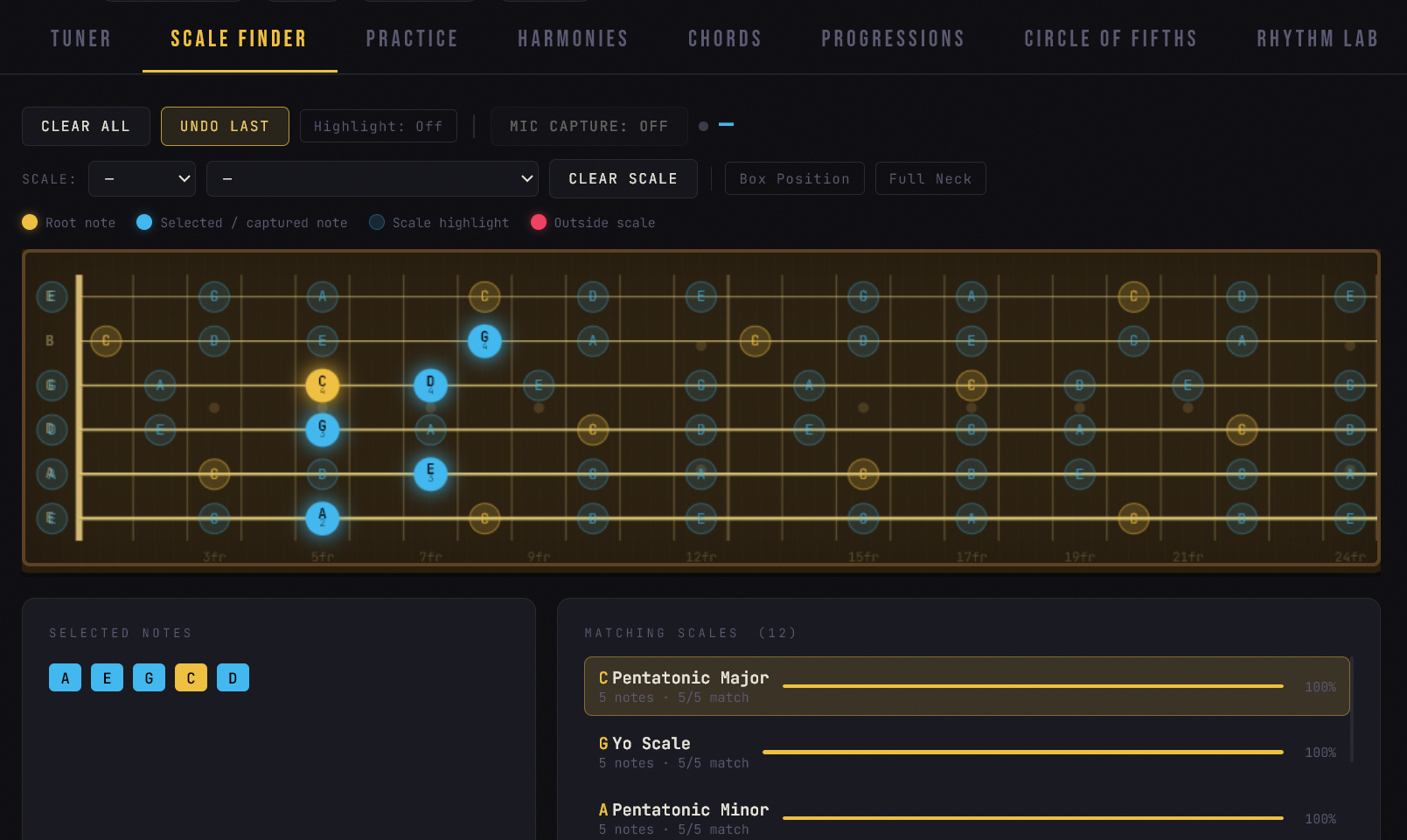
Inside, you’ll see the Guitar Lab workspace, with its dark background, gold highlights, and eight tools. The idea is to keep the useful parts of a practice session together, so finding a scale can lead straight into playing it.
What’s inside
Tuner: microphone-based pitch detection, string targets, A4 calibration, and a range of standard, dropped, and open tunings.
Scale Finder, Chords, and Harmonies: explore notes on the fretboard, look up chord voicings, identify musical relationships, and turn an idea into something you can play.
Practice: run note patterns with a count-in, looping, and quarter-note, eighth-note, triplet, or sixteenth-note subdivisions. The Practice Coach adds microphone-based feedback, accuracy, hits and misses, a streak counter, and an optional automatic tempo increase.
Progressions, Circle of Fifths, and Rhythm Lab: explore chord movement, connections between keys, and rhythmic ideas alongside the fretboard tools.
A more connected practice session
The Session bar keeps tuning, scale, tempo, and meter visible as you move between tools. Its controls also act as shortcuts. Practice and Progressions share tempo, and the app remembers tuning, A4 calibration, tempo, and meter in your browser.
This release also improves flat-note handling, keyboard navigation, focus indicators, and the mobile header. It’s still a beta, so treat the Coach’s score as useful practice feedback rather than a definitive judgment of your playing.
Try this first
Open Scale Finder, load E Natural Minor, and send it to Practice. Choose a pattern, start at a comfortable tempo, and select eighth notes. Turn the Coach on if you want microphone feedback, then press Play and follow the target notes after the count-in.
For the tuner and microphone feedback, use Start Mic and allow microphone access when your browser asks. You can explore the scale, chord, and theory tools without enabling the microphone. Headphones can help keep the app’s playback from being picked up by your mic.
No separate app installation is needed. Grab a guitar, open Guitar Super App, and see where a few notes take you.